
100% French software •Designed, built and published in France — data hosted in the European Union
Interactive demo — real screenshots of the app

See IZZI DEVIS from the inside

No mockups: every screen below is an actual screenshot of the application, taken on a demonstration account. Follow a job from start to finish, then explore each menu freely.

The app runs in French. IZZI DEVIS is built for French repair shops, so the screenshots below show the French interface. The captions on this page explain what each screen does.

App appearance:
The app ships with both modes. Switch here to see the difference.
Part 1

One job, from arrival to payment

From the vehicle rolling into the workshop to the invoice being settled: seven steps, seven real screens.

1. The mechanic describes the fault

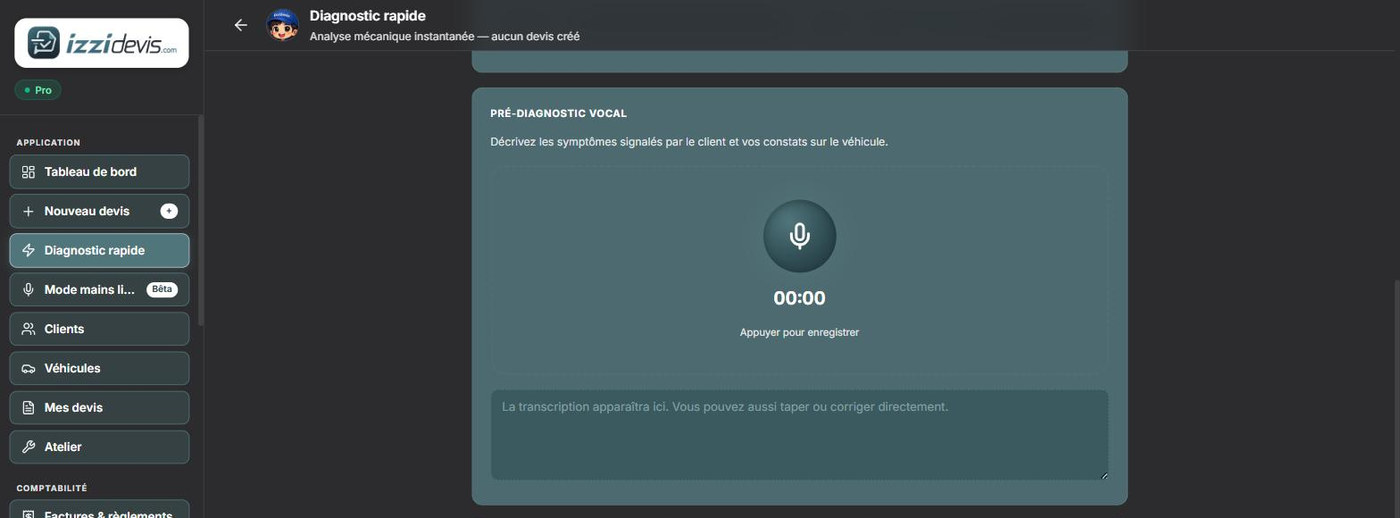
This is the real IZZI DEVIS screen, not a mockup. Click the mic: the transcription is typed into the app's actual field.

  • Voice input works under the lift, with dirty hands. The text stays editable from the keyboard.
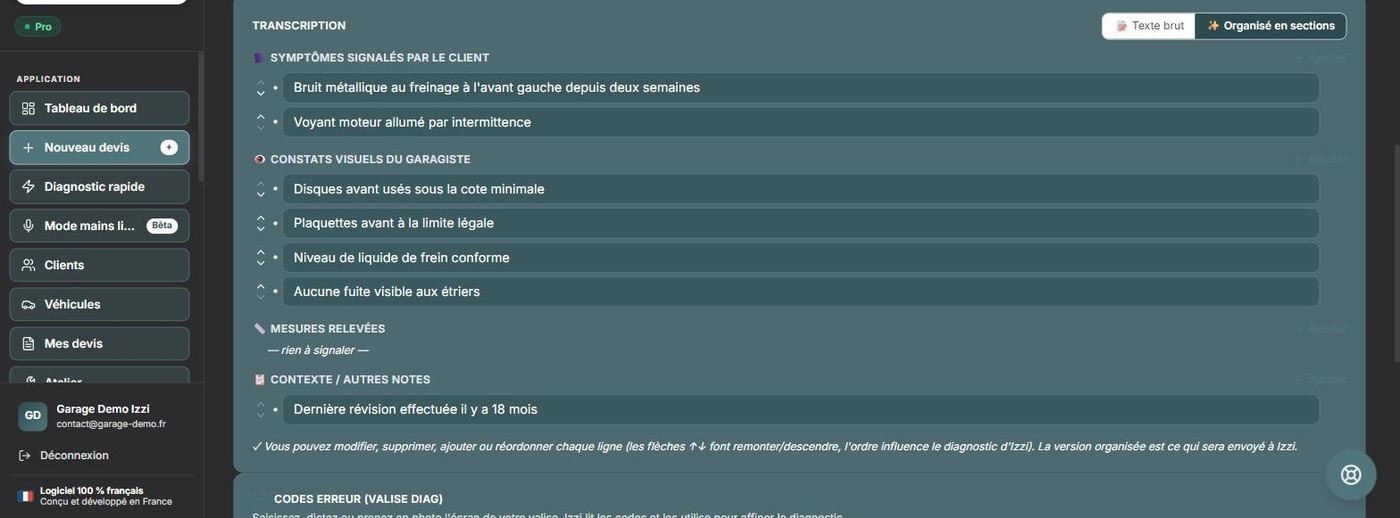
  • Nothing is left as a blob: Izzi sorts what was said by nature — customer symptoms, mechanic's findings, measurements, context.
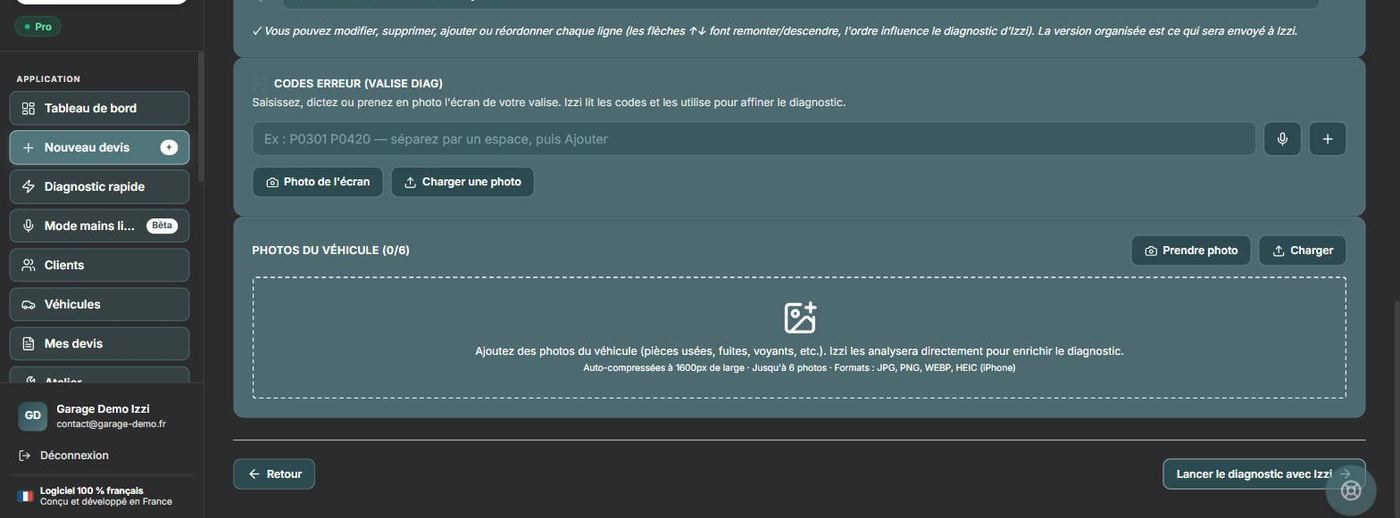
  • Fault codes and photos feed the diagnosis: typed, dictated or photographed. Izzi reads them.

Click the mic in the screen.

app.izzidevis.com/diagnostic-rapide
IZZI DEVIS voice pre-diagnosis screen
Transcript sorted into sections: symptoms, findings, measurements, context Entering fault codes and adding photos of the vehicle

2. Izzi analyses and ranks

The waiting screen, then the result, exactly as the app shows them — real hypotheses produced from the description above.

  • Every hypothesis carries its level (Likely / Possible) and its reasoning.
  • The mechanic stays in charge: the “Izzi adviser” panel lets him correct a hypothesis or add one.
  • No quote is created at this stage.

Izzi is about to analyse the description.
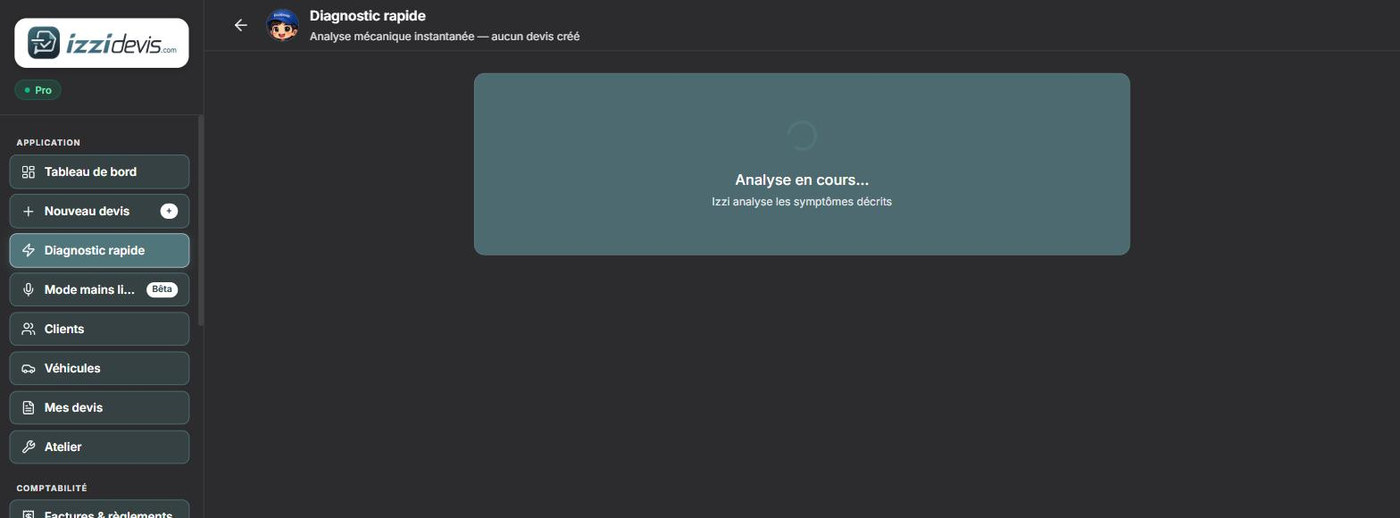
app.izzidevis.com/diagnostic-rapide
Izzi analysing the reported symptoms

3. The quote

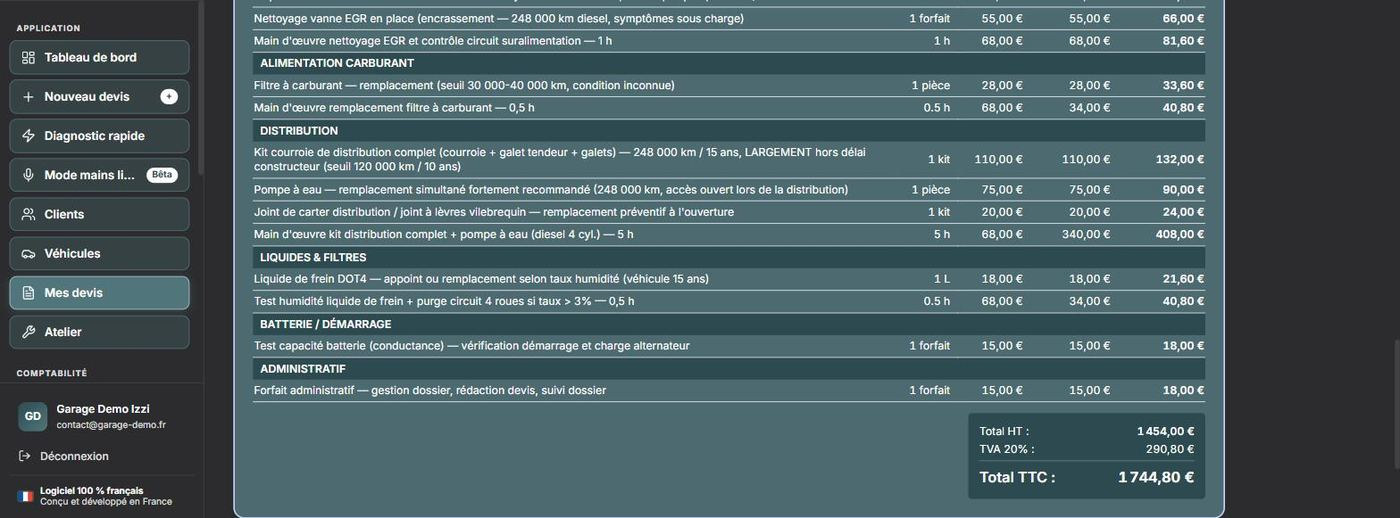
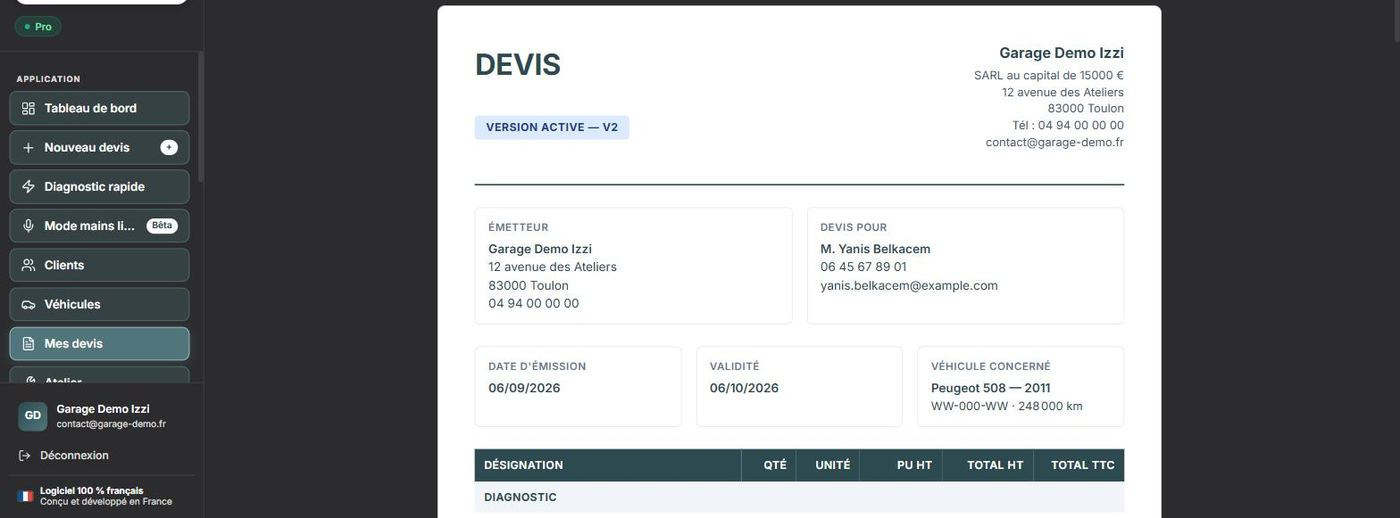
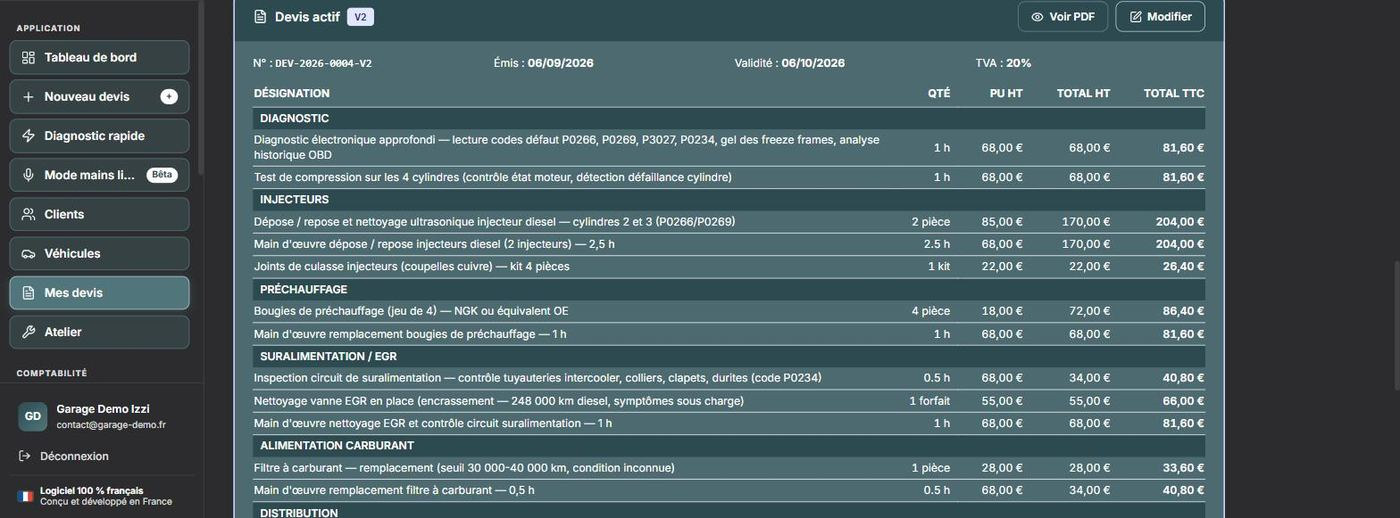
The hypotheses that were kept become a priced quote: diagnosis, parts, labour, fixed-price items. The mechanic reads it back, adjusts line by line, and nothing goes out without his approval.

  • Header filled in automatically — shop identity, customer details, vehicle, registration, mileage, issue date and validity period.
  • Line items grouped by family — diagnosis, injectors, glow plugs, turbo / EGR, timing belt, fluids… Each line carries its quantity, its unit (hour, part, kit, fixed price), its unit price, and its net and gross amounts.
  • Totals and VAT recalculated live on every change.
  • Successive versions kept (V2, V3…): the history is never overwritten.
  • Insurance workflow available on any job: assessor, depreciation, excess, assignment of claim.
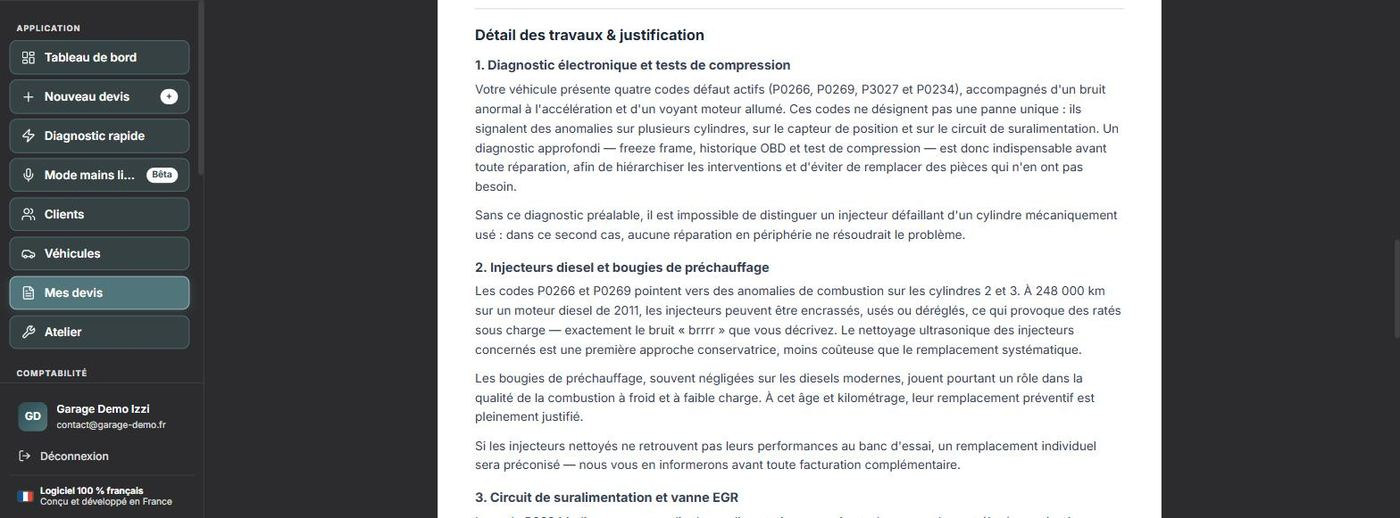
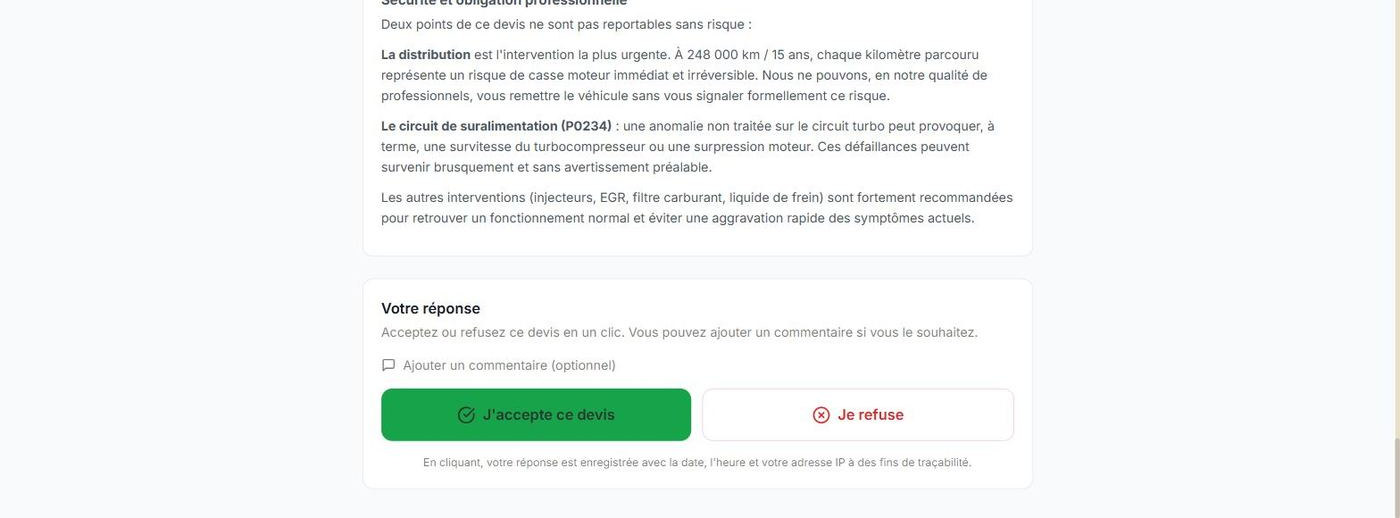
  • Explanatory note attached to the quote: every line explained in plain language, with the reason that justifies it. The customer understands what he is paying for without having to call you back.
  • Approving the quote unlocks workshop tracking and parts ordering.

These five views are the same job: the first three inside the app, the last two in the document as it reaches the customer. Use the arrows or the tabs.
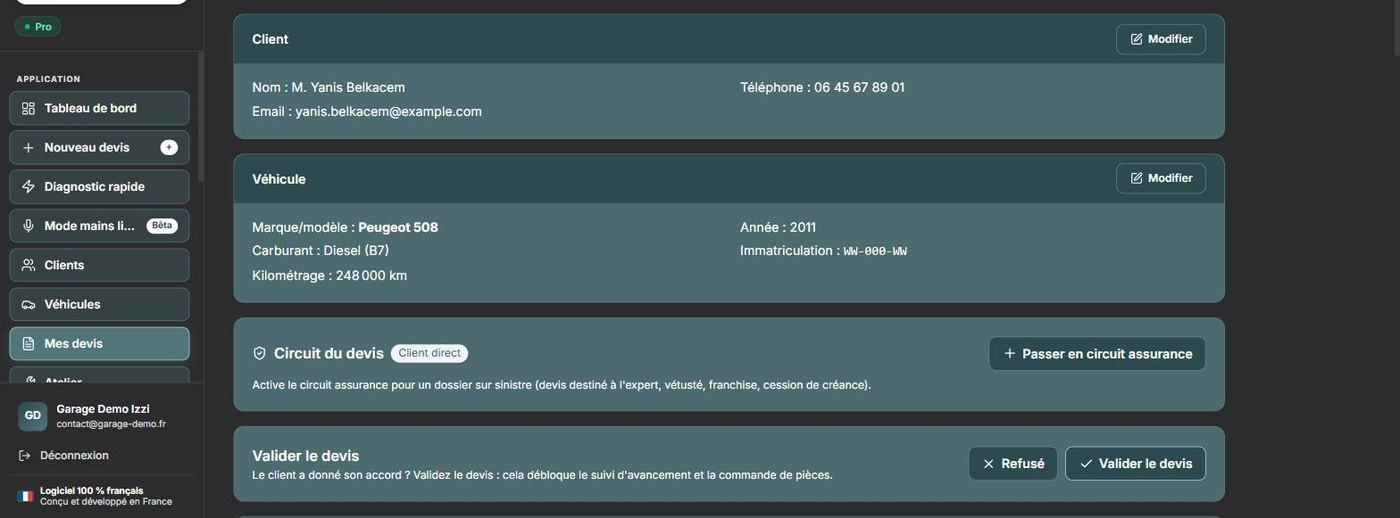
app.izzidevis.com/dossiers/…
Job header: customer, vehicle, quote workflow Body of the quote: priced lines Bottom of the quote: net total, VAT and gross total The quote laid out as the customer receives it Explanatory note: detailed justification of the work

4. Sending it to the customer

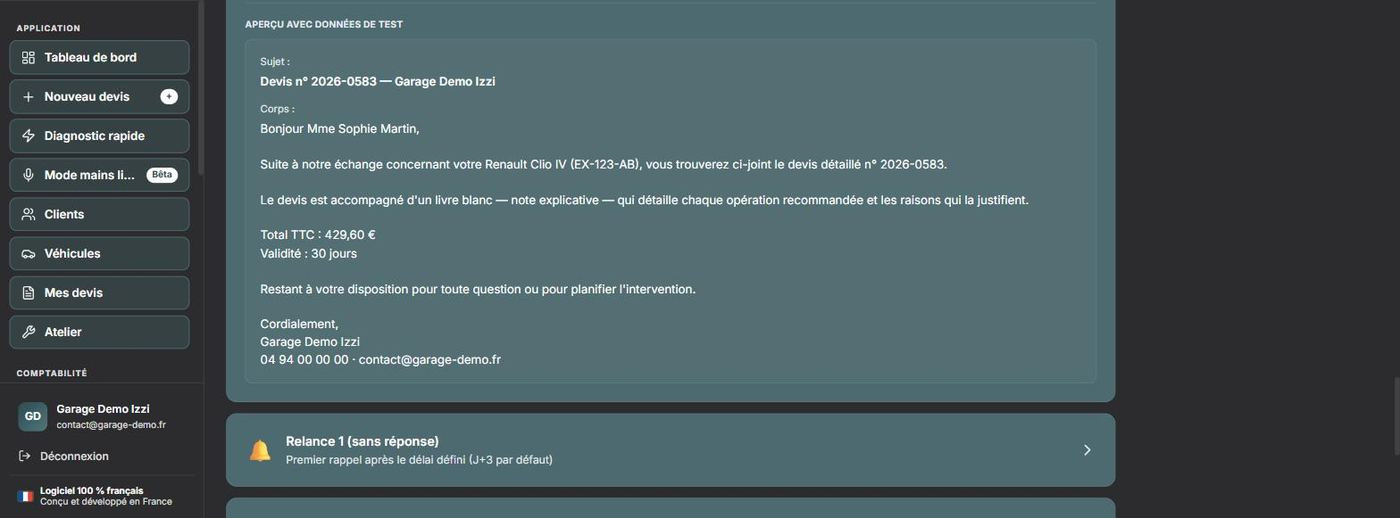
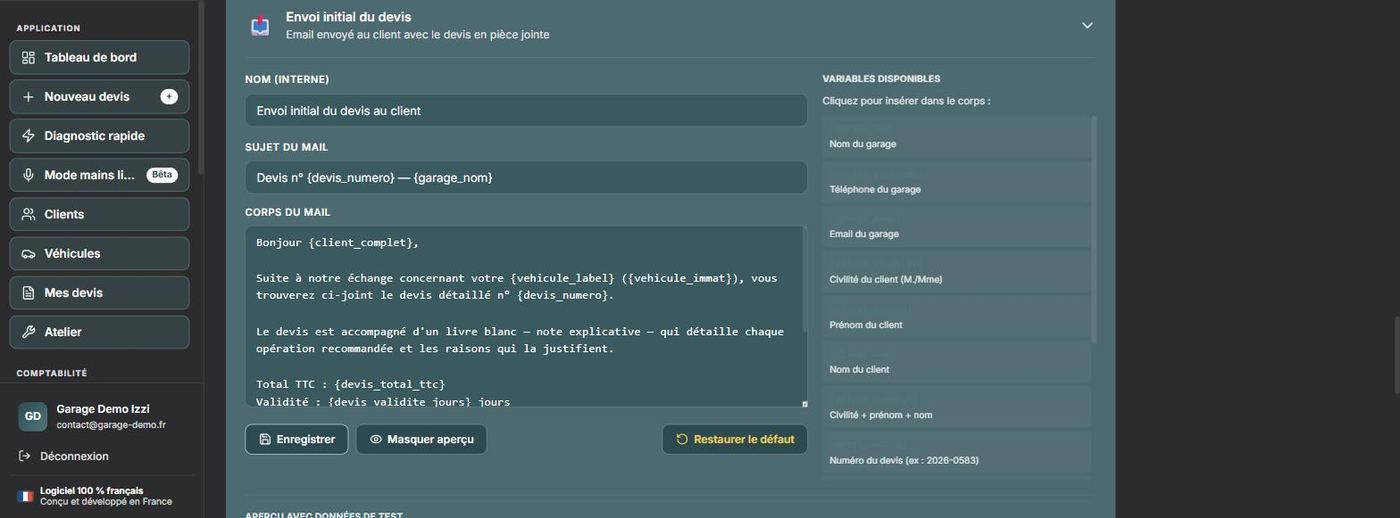
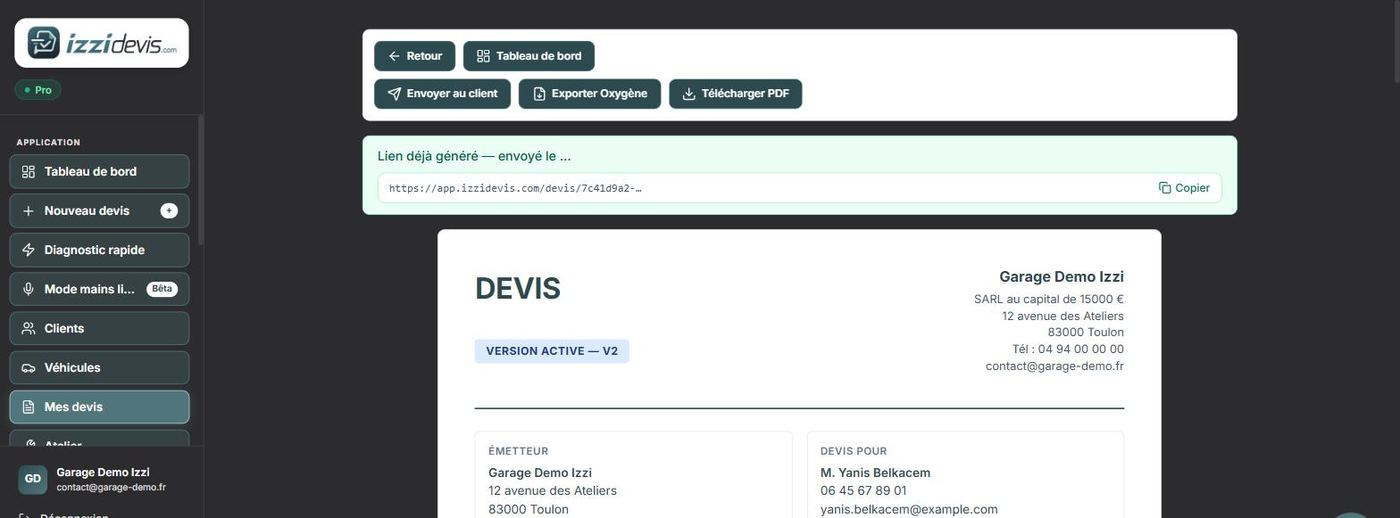
One button, and the quote goes out by e-mail with its approval link. The mechanic writes nothing: the e-mail is a template he set up once and for all.

  • “Send to customer” from the quote. The viewing link is generated and stays available to send again later.
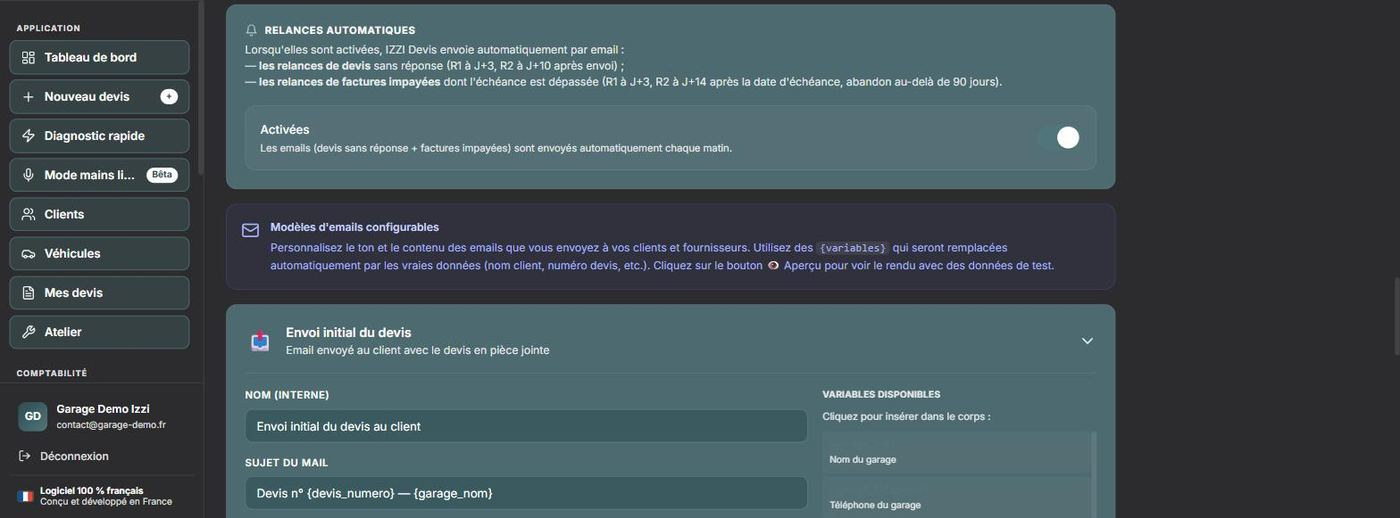
  • The e-mail is editable — subject, body, signature — with variables ({client_complet}, {devis_numero}, {devis_total_ttc}…) filled in automatically. A preview shows the result before sending.
  • Automatic follow-ups: with no answer, reminder 1 on day 3 and reminder 2 on day 10 go out on their own each morning. Same for unpaid invoices.
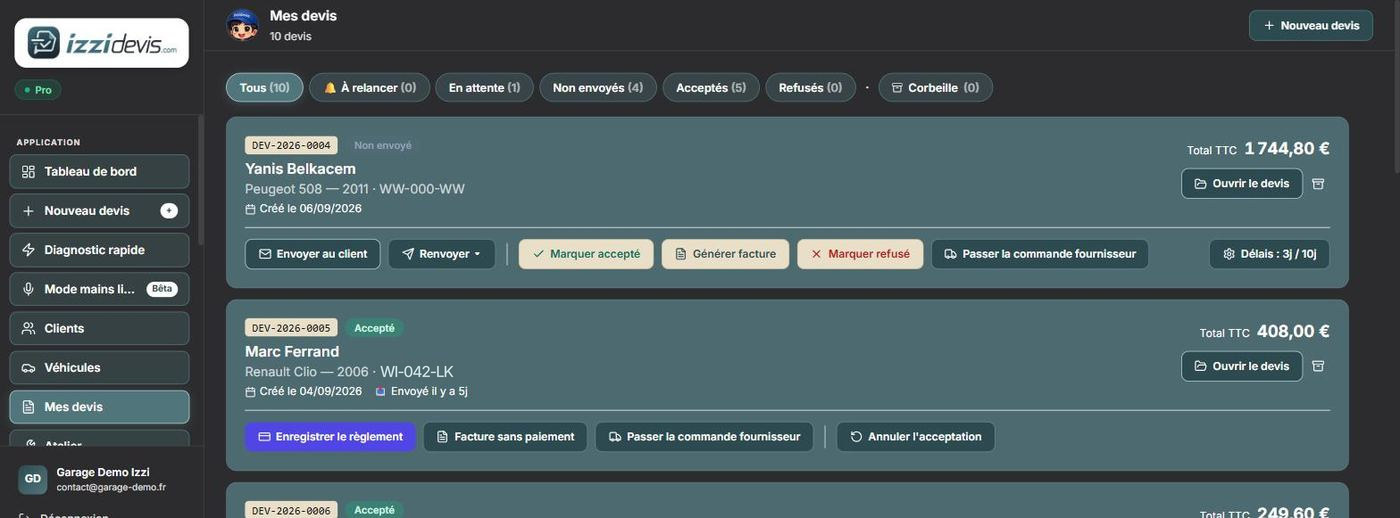
  • Tracking by status: to chase, pending, not sent, accepted, declined — and on each row the actions that make sense right now (invoice, order the parts, mark accepted or declined).
  • Recoverable bin — nothing is deleted outright.

The mechanic writes no e-mail at all: he approves, and the follow-up runs itself.
app.izzidevis.com/dossiers
Send to customer button and generated approval link Preview of the e-mail sent to the customer Editable e-mail template with its variables Automatic reminder settings My quotes list filtered by status

5. The customer reads it and replies

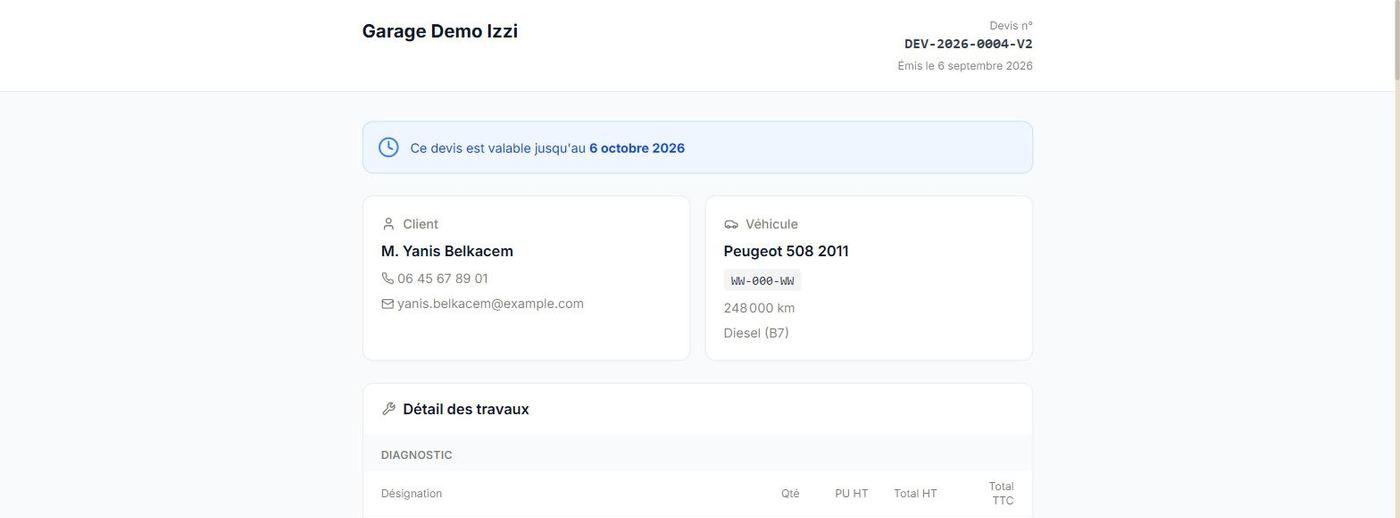
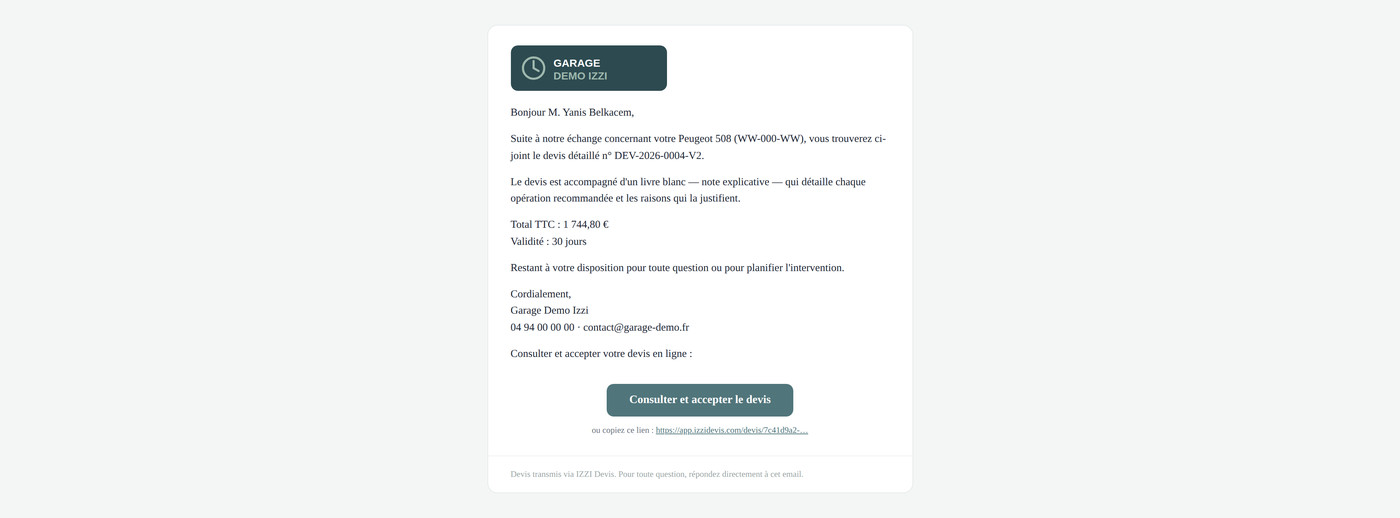
An e-mail on the shop's letterhead, a button, a clean web page. No attachment to open, no account to create.

  • The e-mail carries the shop's logo and contact details. The customer immediately sees the vehicle, the amount and the validity period.
  • The quote page details every line: quantity, unit price, net and gross, then the explanatory note that says why.
  • Replying takes one click, with a comment if he wants one. It lands in the shop's app straight away and the job moves to the workshop.
  • Private link, not indexed by search engines, readable on a phone.

The customer never sees IZZI DEVIS: he sees his repair shop.
app.izzidevis.com/devis/…
E-mail received by the customer, on the shop's letterhead Quote page as seen by the customer Accept and decline buttons on the customer page

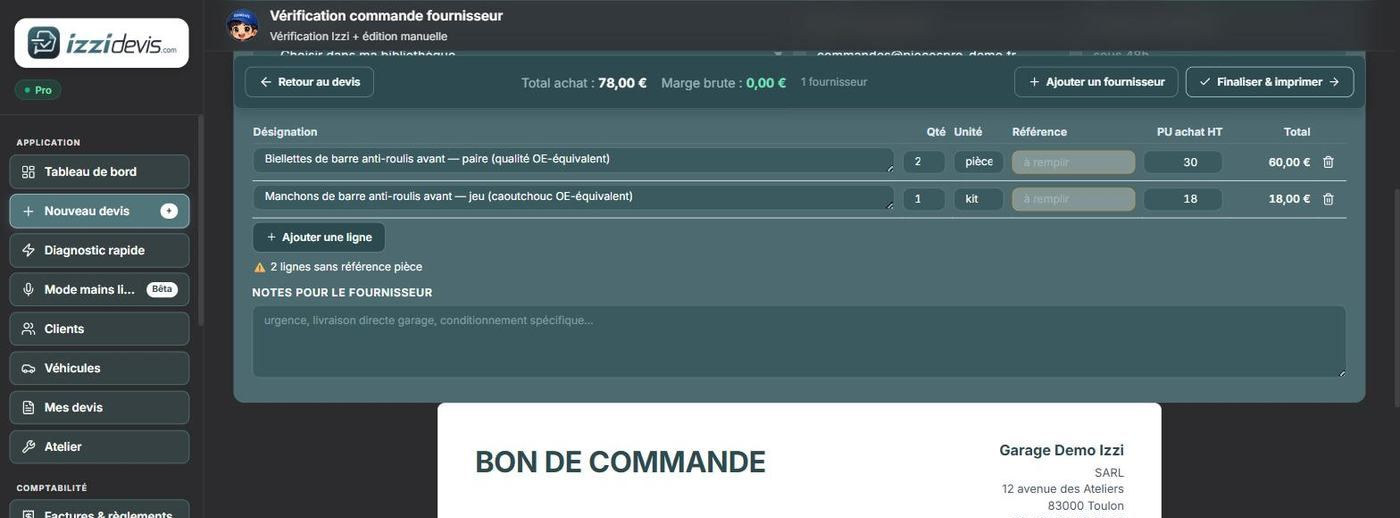
6. The parts order

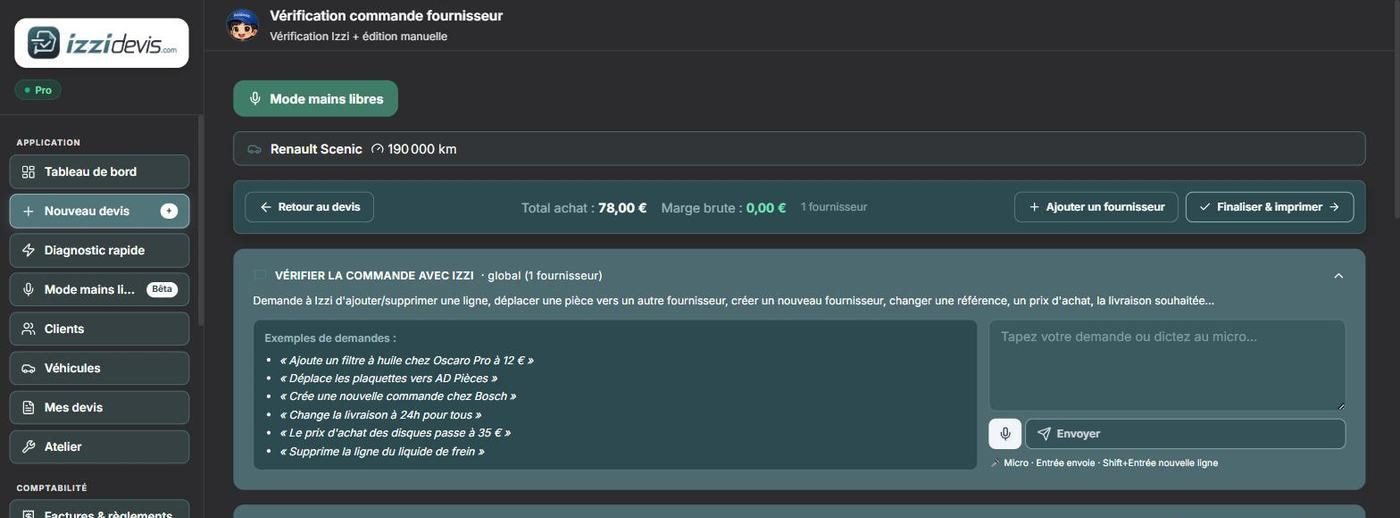
The parts on the quote become a purchase order. Izzi checks the order and the mechanic corrects it by voice or keyboard: add a line, switch supplier, adjust a purchase price.

  • Gross margin computed live, purchase price against selling price.
  • Several suppliers on the same job, one order per supplier.
  • Send by e-mail to the supplier, or export as PDF.

Lines with no part number are flagged: Izzi does not invent a reference it does not have.
app.izzidevis.com/commandes/…
Supplier order verification screen Generated purchase order

7. The workshop and the schedule

An accepted quote doesn't stop at the printer. Izzi draws the repair order the customer signs, and the mechanic's job sheet — the same list of operations, but with no prices at all.

  • Operations to tick off, estimated time and the actual time entered next to it, parts with their supply status.
  • The status ticked in the workshop (pending, in progress, completed) updates the job and the tracking the customer sees. One entry, not two.
  • The appointment is placed on the schedule per mechanic, its length taken from the estimated time. The customer gets a confirmation then a reminder the day before.
  • Two working days ahead, Izzi checks the parts have arrived — if not, it offers to move the appointment and drafts the email to the customer.

The repair order, the job sheet and actual time entry are included in every plan. Scheduling and workshop statistics belong to the Pro plan.

app.izzidevis.com/atelier/…

8. Invoice and payment

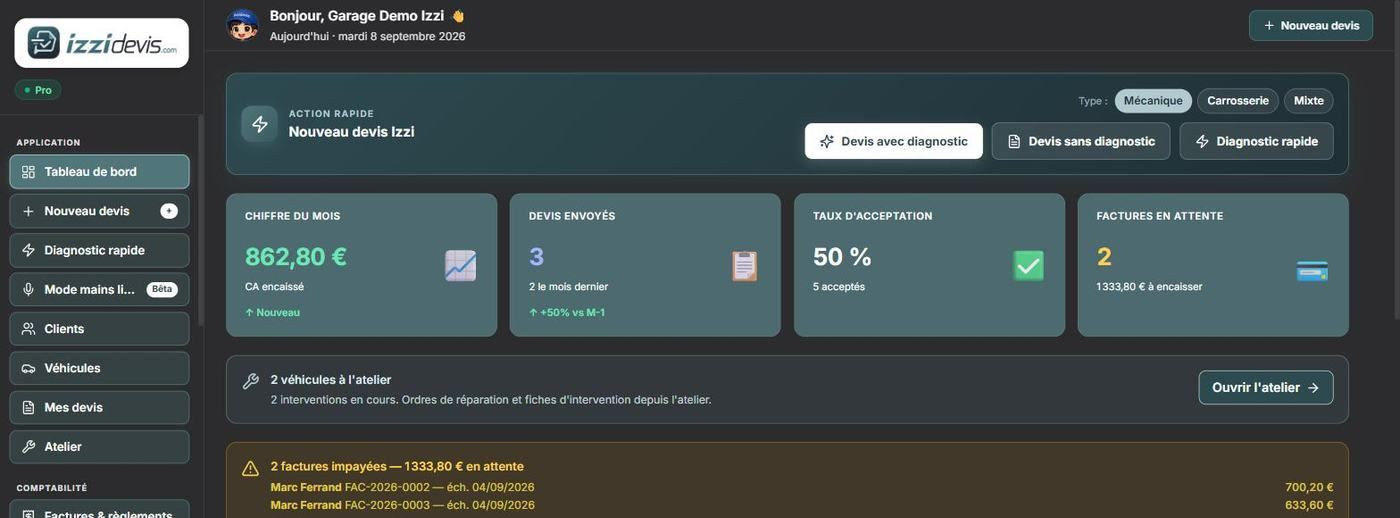
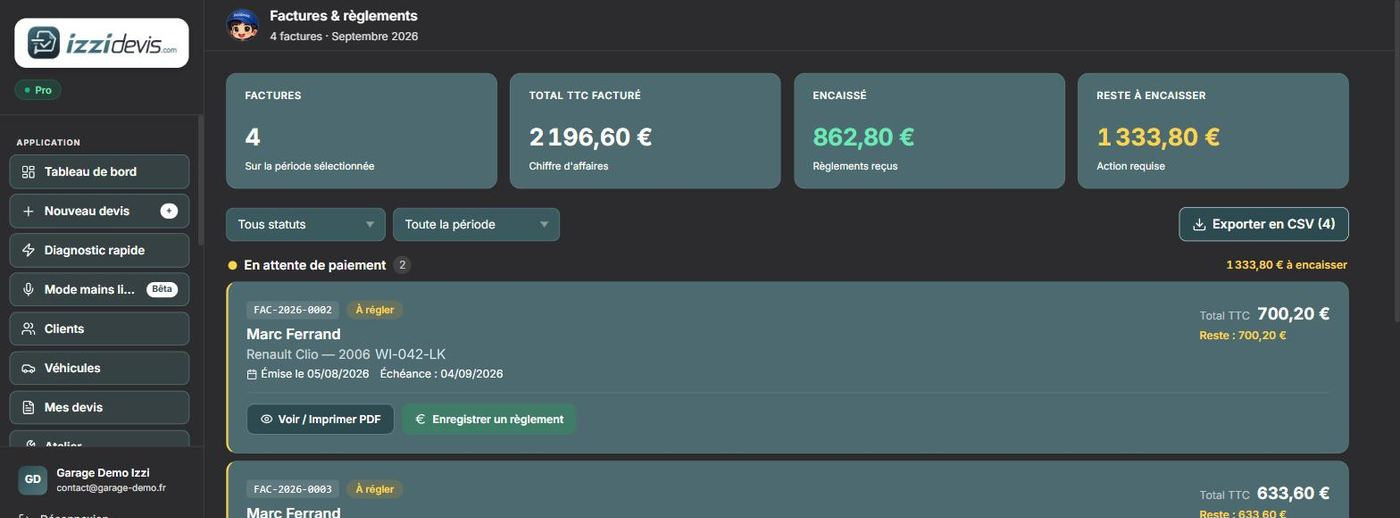
The invoice carries over the accepted quote, with the shop's legal notices. Payments are recorded as they come in and unpaid invoices surface on the dashboard.
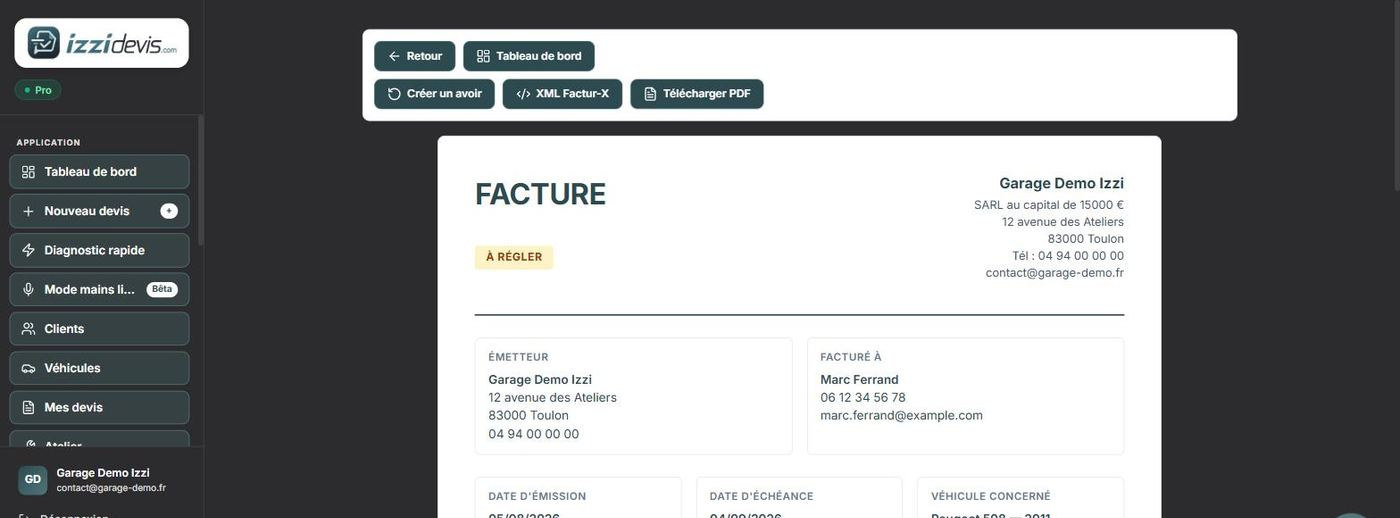
  • Factur-X export (XML embedded in the PDF) and FEC for the accountant.
  • Credit notes generated from the invoice.
  • Chasing of unpaid invoices, with overdue due dates highlighted.
app.izzidevis.com/factures/…
Generated invoice Invoice and payment tracking
Step 1 / 8

The same tool, with your vehicles and your prices

Quotes, workshop, purchase orders, invoices and accounting export in a single application. Try it on your own jobs for 14 days.

Start my free 14-day trial →

No card required · No commitment · Data hosted in Europe

The application is in French. Screenshots taken on a demonstration account: the names, contact details and amounts shown are fictional.